Motherduck

DuckLake

4 min read

Last updated: March 5, 2026

How to Load Streaming Data into DuckLake with Estuary

Learn how to create a DuckLake lakehouse in MotherDuck and continuously load real-time data using Estuary. Includes setup steps, SQL examples, and tips for BYOB or fully managed deployments.

Load Streaming Data into DuckLake Motherduck With Estuary
Share this article
Load Streaming Data into DuckLake Motherduck With Estuary
Summarize this page with AI
Stream Data into DuckLake.png

DuckLake is a new, simplified approach to building lakehouses. Instead of dealing with JSON and Avro manifest layers like Iceberg or Delta Lake, DuckLake uses a SQL database to manage metadata and Parquet files for storage. It’s fast, open, and easy to manage.

In this guide, we’ll show how to set up a DuckLake database in MotherDuck and continuously load data into it using Estuary.

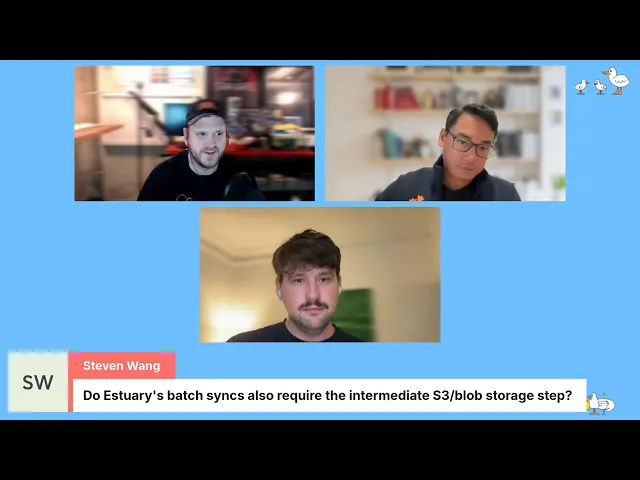
Check out this webinar recording for an end-to-end demonstration on how Estuary integrates with DuckLake
Setting Up DuckLake with MotherDuck and Estuary

To load data into DuckLake, you’ll need to create a database in MotherDuck and configure a streaming data pipeline using Estuary. DuckLake supports both fully managed and Bring Your Own Bucket (BYOB) deployment models, giving you flexibility over metadata and storage layers. Follow the steps below to set up your lakehouse and start ingesting real-time data.

Step 1: Choose Your DuckLake Deployment Model

MotherDuck offers two ways to create a DuckLake database. Choose the one that best fits your use case:

Option 1: Fully Managed DuckLake Database

Both the metadata and data are stored in MotherDuck-managed infrastructure. Fast to set up, great for quick evaluations.

CREATE DATABASE my_ducklake (TYPE DUCKLAKE);

Option 2: Bring Your Own Bucket (BYOB)

You use your own S3-compatible storage for Parquet files while MotherDuck handles the metadata.

CREATE DATABASE my_ducklake (
    TYPE DUCKLAKE,
    DATA_PATH 's3://your-bucket/your-path/'
);
CREATE DATABASE my_ducklake (
    TYPE DUCKLAKE,
    DATA_PATH 's3://your-bucket/your-path/'
);
CREATE DATABASE my_ducklake (
    TYPE DUCKLAKE,
    DATA_PATH 's3://your-bucket/your-path/'
);
CREATE DATABASE my_ducklake (
    TYPE DUCKLAKE,
    DATA_PATH 's3://your-bucket/your-path/'
);
CREATE DATABASE my_ducklake (
    TYPE DUCKLAKE,
    DATA_PATH 's3://your-bucket/your-path/'
);

Then create a secret for credentials:

CREATE SECRET my_secret IN MOTHERDUCK (
    TYPE S3,
    KEY_ID 'your-access-key',
    SECRET 'your-secret-key',
    REGION 'your-region'
);
CREATE SECRET my_secret IN MOTHERDUCK (
    TYPE S3,
    KEY_ID 'your-access-key',
    SECRET 'your-secret-key',
    REGION 'your-region'
);
CREATE SECRET my_secret IN MOTHERDUCK (
    TYPE S3,
    KEY_ID 'your-access-key',
    SECRET 'your-secret-key',
    REGION 'your-region'
);
CREATE SECRET my_secret IN MOTHERDUCK (
    TYPE S3,
    KEY_ID 'your-access-key',
    SECRET 'your-secret-key',
    REGION 'your-region'
);
CREATE SECRET my_secret IN MOTHERDUCK (
    TYPE S3,
    KEY_ID 'your-access-key',
    SECRET 'your-secret-key',
    REGION 'your-region'
);

✅ Tip: Use an S3 bucket in us-east-1 to avoid cross-region latency when using MotherDuck compute.

Step 2: Set Up Estuary to Materialize into DuckLake

Estuary lets you connect streaming and batch data sources and continuously materialize into DuckLake.

Want a quick walkthrough? Check out this video tutorial:

Follow these steps to connect Estuary to DuckLake:

  1. Set Up Your Source Connector: Choose from supported sources like PostgreSQL, MySQL, Kafka, S3, or even webhooks.

Set Up Your Source Connector
  1. Create a Derivation (optional): You can transform and filter your data using Estuary’s TypeScript derivations, or just pass it through.

  2. Configure the DuckLake Materialization: Use Estuary’s DuckLake connector to write directly to your DuckLake catalog (via the MotherDuck catalog endpoint or your own DuckDB instance).

Configure the DuckLake Materialization


You’ll configure:

  • Target database

  • Table name and schema mapping

  1. Deploy the Estuary pipeline: Once deployed, Estuary continuously pushes updates to your DuckLake tables with exactly-once semantics.

Step 3: Query and Explore Your DuckLake Data

After Estuary writes data into DuckLake, you can query it from:

  • MotherDuck web UI

  • DuckDB CLI

  • dbt or your favorite SQL IDE

  • Python, JavaScript, or other language bindings

Example:

SELECT *
FROM my_ducklake.your_table
WHERE event_time > NOW() - INTERVAL '1 HOUR';
SELECT *
FROM my_ducklake.your_table
WHERE event_time > NOW() - INTERVAL '1 HOUR';
SELECT *
FROM my_ducklake.your_table
WHERE event_time > NOW() - INTERVAL '1 HOUR';
SELECT *
FROM my_ducklake.your_table
WHERE event_time > NOW() - INTERVAL '1 HOUR';
SELECT *
FROM my_ducklake.your_table
WHERE event_time > NOW() - INTERVAL '1 HOUR';

DuckLake supports time travel, incremental reads, and even metadata queries like:

FROM ducklake_snapshots('my_ducklake');

Ready to build your DuckLake pipeline? Create your free Estuary account and start streaming data in minutes — no code required.

Use Cases for DuckLake + Estuary

Here are some powerful real-world use cases enabled by combining DuckLake and Estuary:

  • Data Sharing: Publish curated, fast-changing datasets (e.g., product metrics, financial records) to other teams via DuckLake’s SQL-based structure and versioned snapshots.

  • Machine Learning Feature: Continuously update feature tables with low-latency writes from Estuary and train models directly from DuckLake with native DuckDB or Python integrations.

  • Streaming ETL into Parquet Lakes: Automate complex transformation logic in Estuary, and land the data in open Parquet format with schema control and rollback support.

Summary

DuckLake + Estuary is a powerful combo. You get:

  • Open format (Parquet) + SQL-native metadata

  • Fully managed or BYOB flexibility

  • Real-time, exactly-once ingestion with Estuary

  • Scalable reads/writes from your apps or tools

Whether you’re building a real-time analytics stack or just want a no-fuss lakehouse, DuckLake makes it simple, and Estuary gets your data there.

Want help getting started? Reach out to us at Estuary or join our Slack community.

FAQs

Yes. Estuary supports full schema evolution — adding, removing, or renaming fields — and these changes are reflected in DuckLake via transactional DDL. You can version and roll back schema changes easily using DuckLake’s built-in snapshotting.

Absolutely. You can use your own DuckDB client to read and write to a DuckLake database, as long as it can access the metadata (via MotherDuck or local storage) and the Parquet files (via S3 or other compatible storage). This makes DuckLake great for hybrid setups.

Estuary uses exactly-once delivery semantics and writes each transaction to DuckLake as a single, atomic SQL transaction. This guarantees that each change set is either fully committed or not at all — no duplicates, no partial writes.

START STREAMING YOUR DATA FOR FREE

START STREAMING YOUR DATA FOR FREE

About the author

Dani is a data professional with a rich background in data engineering and real-time data platforms. At Estuary, Daniel focuses on promoting cutting-edge streaming solutions, helping to bridge the gap between technical innovation and developer adoption. With deep expertise in cloud-native and streaming technologies, Dani has successfully supported startups and enterprises in building robust data solutions.

Real-Time & Batch Pipelines.

Real-Time & Batch Pipelines.

Real-Time & Batch Pipelines.

Simple to Deploy.

Simple to Deploy.

Simple to Deploy.

Simply Priced.

Simply Priced.

Simply Priced.

$0.50/GB of data moved + $100/month per connector instance

$0.50/GB of data moved + $100/month per connector instance

$0.50/GB of data moved + $100/month per connector instance

Simple usage-based pricing with volume discounts

Simple usage-based pricing with volume discounts

Simple usage-based pricing with volume discounts

Sub-100ms end-to-end latency for real-time pipelines

Sub-100ms end-to-end latency for real-time pipelines

Sub-100ms end-to-end latency for real-time pipelines

Estuary logo - Real-time data integration platform

Log-based CDC, SaaS, and batch unified in an event-driven ETL architecture.

Don’t miss a thing

Subscribe now to get the latest news and updates.

© 2026 All Rights Reserved -

Estuary

Slack
GitHub
LinkedIn
X